Android app for assigning custom notification tones
Custom Notification Sounds applies a large, categorized audio library to your Android device so you can replace default alerts with distinct tones. Made by NextGen Droid for personalization, the app exposes one-tap controls to set sounds as notifications, alarms, or ringtones and offers a preview mode before applying. It suits users who want quick per-alert differentiation without deep setup, and it emphasizes low storage impact alongside regularly refreshed audio content.
What the app changes about your phone's audio alerts
The app} replaces generic system tones with organized choices. It presents an extensive library of notification sounds and ringtones in categorized browsing, letting you preview clips before download. After you select a clip, the one-tap action sets it as a default notification, alarm, or ringtone through Android's sound management interface, so the app directly modifies which audio file the system uses for incoming alerts.
How much control you get over assigning tones
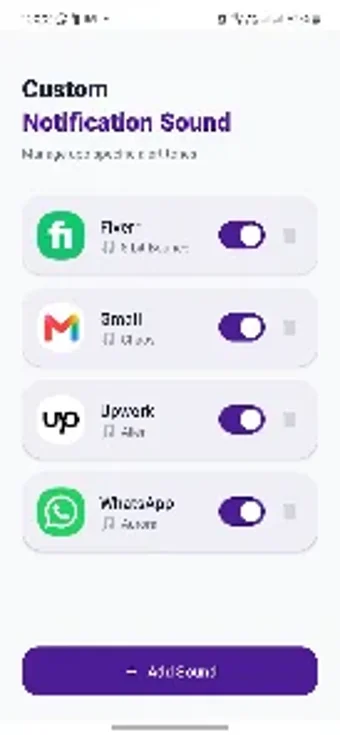
The app gives direct, per-purpose assignment but not per-app mapping inside the tool. You can set any sound as a notification, alarm, or ringtone with a single tap, and categories speed discovery. Assigning a sound to a specific application requires using the device's Apps & notifications or App info settings after download, because the app relies on Android's native assignment paths rather than in-app per-app mapping.
How it behaves on the device and what it requires
The app runs lightly but depends on network access and permissions. It advertises a lightweight design to minimise storage impact and keeps content fresh with regular updates, yet browsing and downloading the online library require an internet connection. The app may request storage permission to save files and system-settings permission to apply tones, and it includes standard mobile advertisements noted in user feedback.
A useful tool for quick audio personalization with online and ad tradeoffs
Custom Notification Sounds suits Android users who want fast replacement of system tones without manual file handling; the one-tap assignment and preview mode speed that workflow. Expect to use a network connection to browse and accept app permissions to apply tones, and tolerate in-app advertisements. The app fits anyone who prefers a low-storage, straightforward method to change alerts and can work with those online and permission constraints.